

 Italiano
 Español
System administrators often need to deploy one or more Registry Keys in business environment. Customized software or hardware need particolar configurations and companies usually have solutions tailored to their needs.
Whatever the reason is, a Group Policy is the best way to deploy a Registry Key in an Active Domain Directory Services.
The configuration is quite simple and quick.
Open the Group Policy Management panel and create a new Group Policy Object:
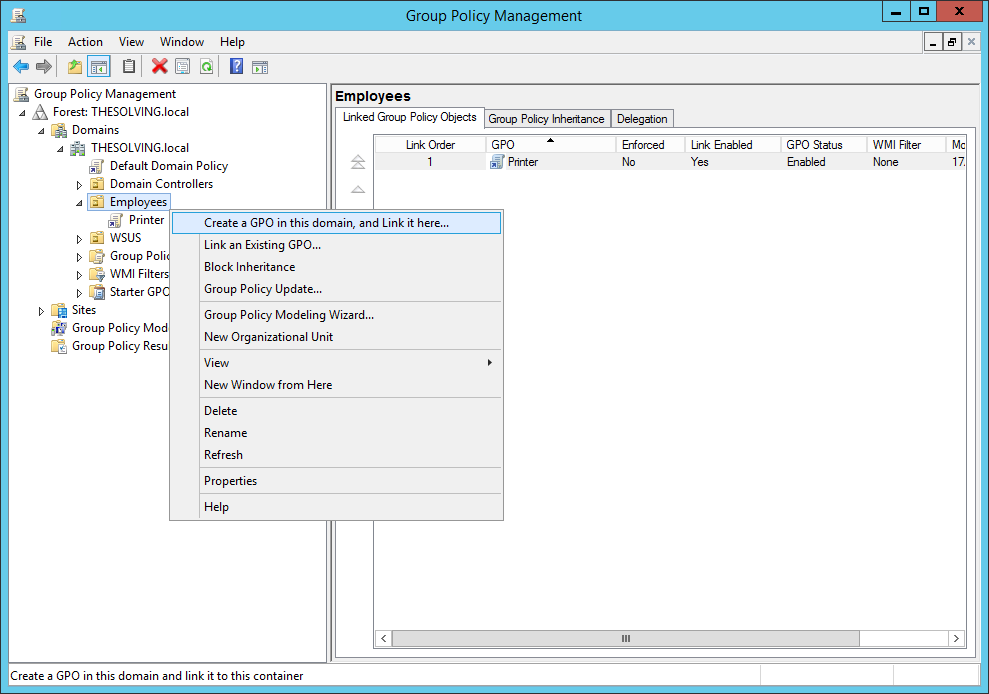
Give it a name:

Go to the Settings tab. Right-click on Computer Configuration or User Configuration and select Edit:
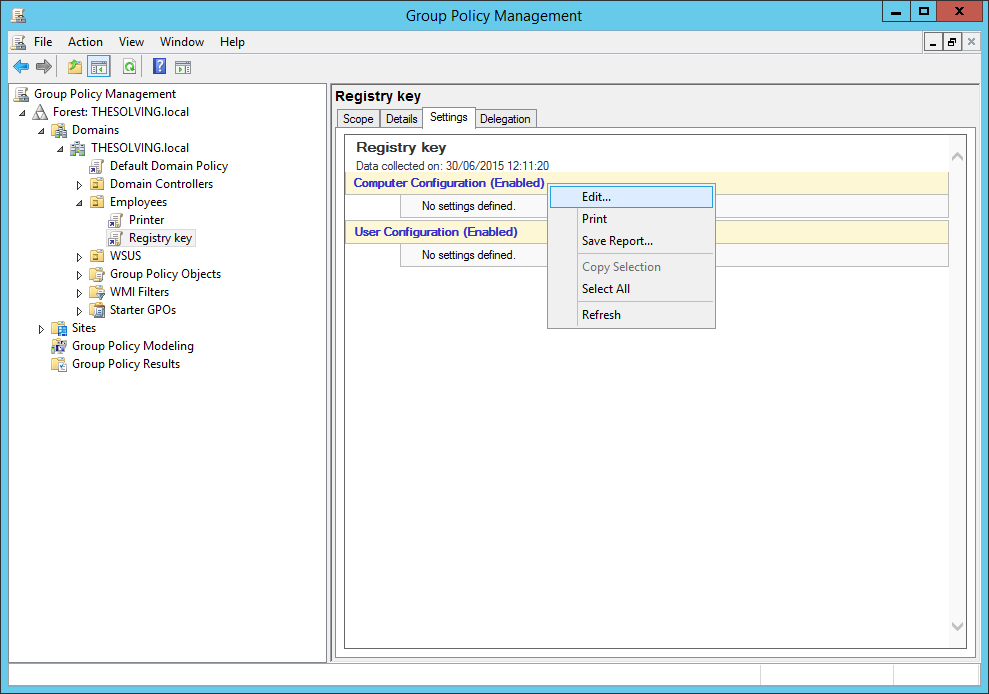
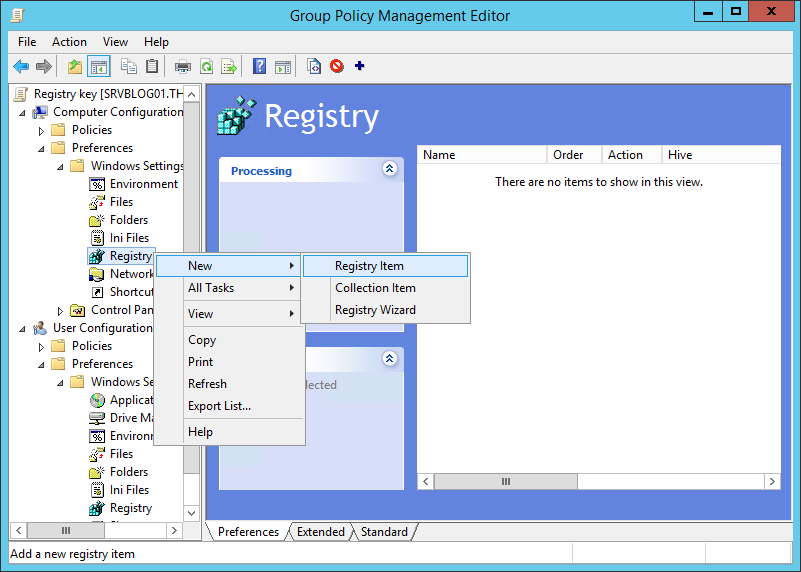
You can deploy the Registry Key on per-computer or per-user basis. We chose a per-computer model. Select New Registry Item from the dropdown menu:
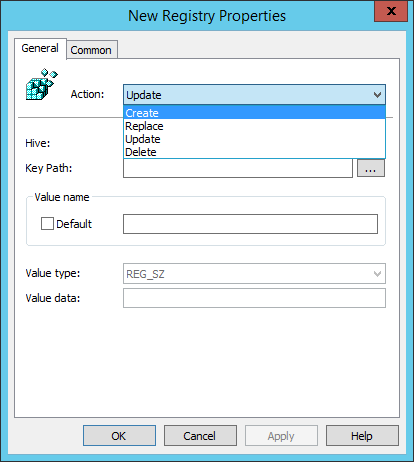
Now you need to specify the Registry Key you want to update, replace, create or delete:

Click Ok and the Registry Key will be deployed:
Read related articles
How to configure static routes to route traffic through a specific gateway
Learn how to configure static routes on Windows Server and Windows 11 using route add and PowerShell’s New-NetRoute, so traffic to specific destinations takes the gateway you choose.
How to reset NTFS permissions with ICACLS
Learn how to fix broken NTFS/ACL permissions on Windows Server using ICACLS: reset ACLs, handle access denied errors, take ownership, and back up permission trees safely.
Configuring and using Windows Deployment Services (WDS)
A 2026 guide to WDS: installation, PXE boot, boot/install images, and the limitations introduced with Windows 11 and Server 2025.