

 Italiano
 Español
We’ve seen how to restrict software (actually in two different ways) and websites via GPO. Now it’s time to restrict devices. Device restrictions can improve the security of a business network and limit potential headaches to the IT staff.
It’s also really easy to enforce a device restriction GPO.
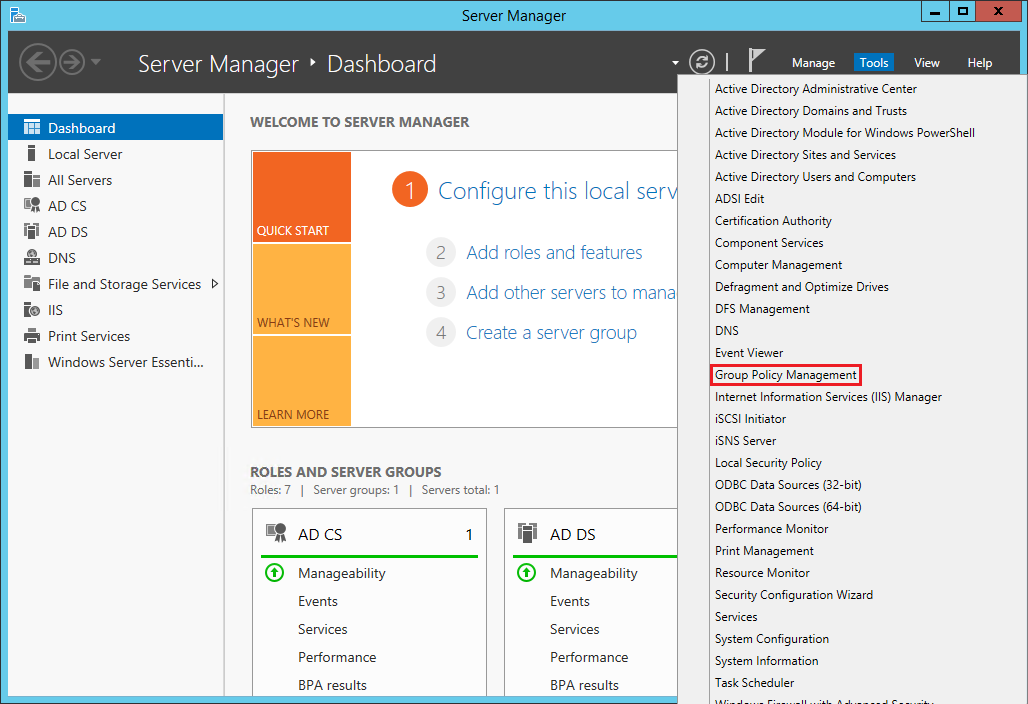
Open the Server Manager and launch the Group Policy Management:
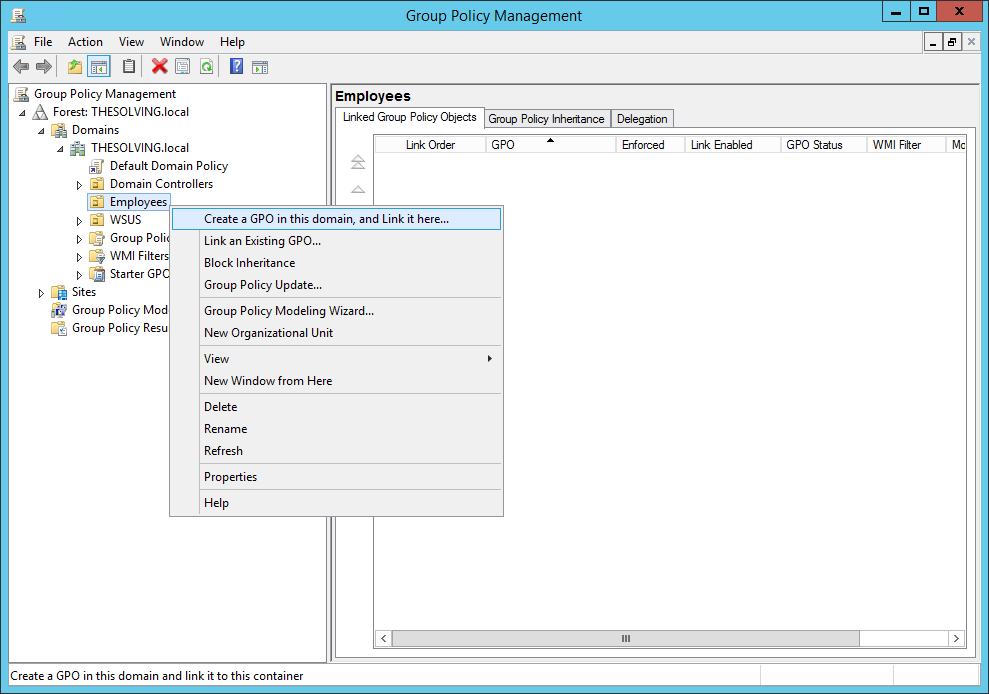
Create a new GPO:
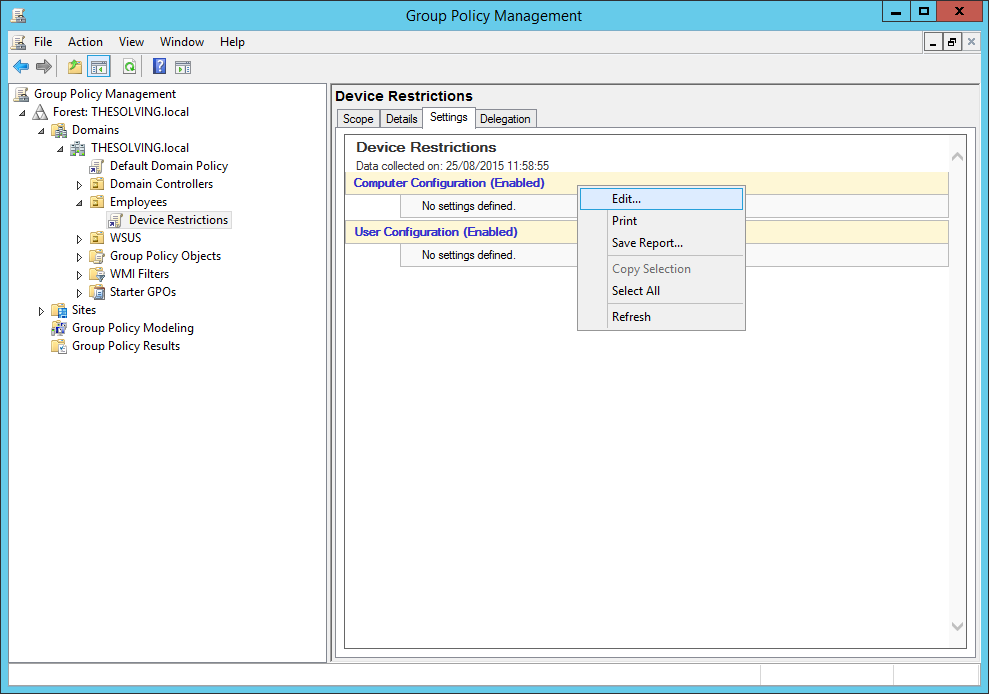
Edit the policy:
Navigate to the path Computer Configuration\Policies\Administrative Templates\System\Device Installation\Device Installation Restrictions:
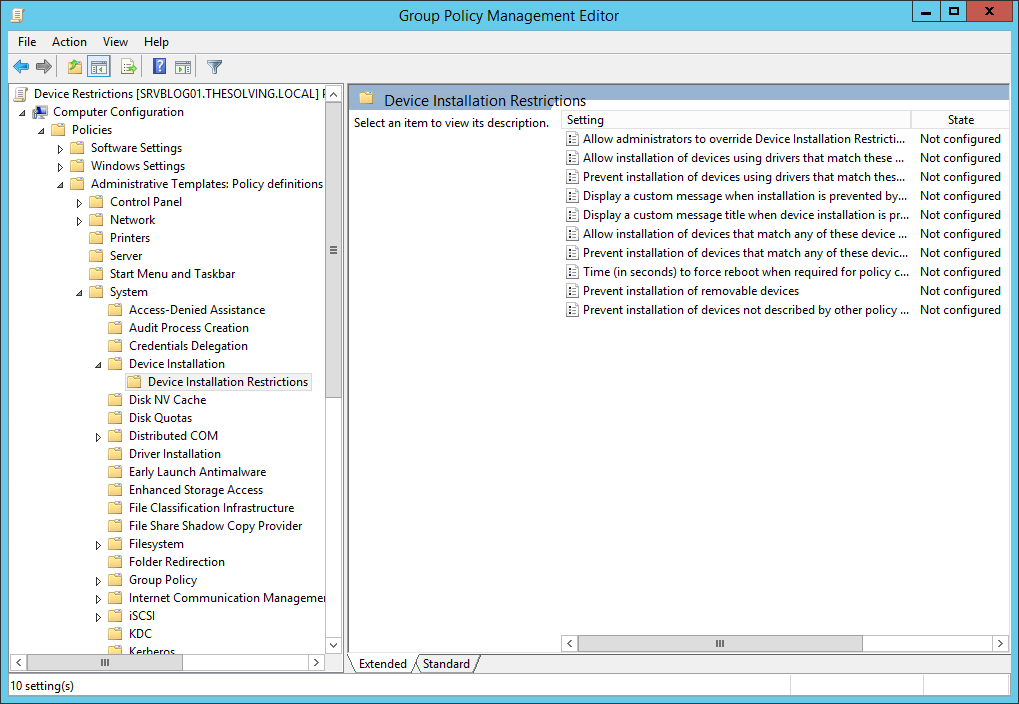
Enable Allow administrators to override Device Installation Restriction policies:
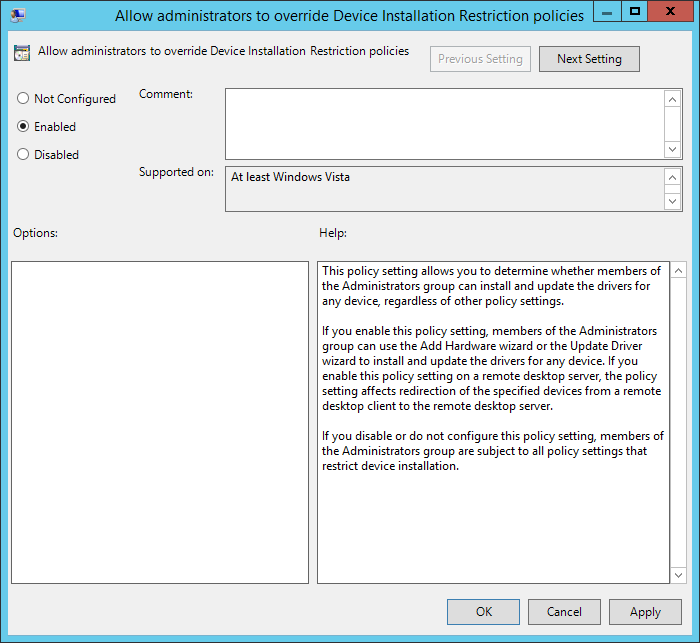
Then enable Prevent installation of devices not described by other policy settings:
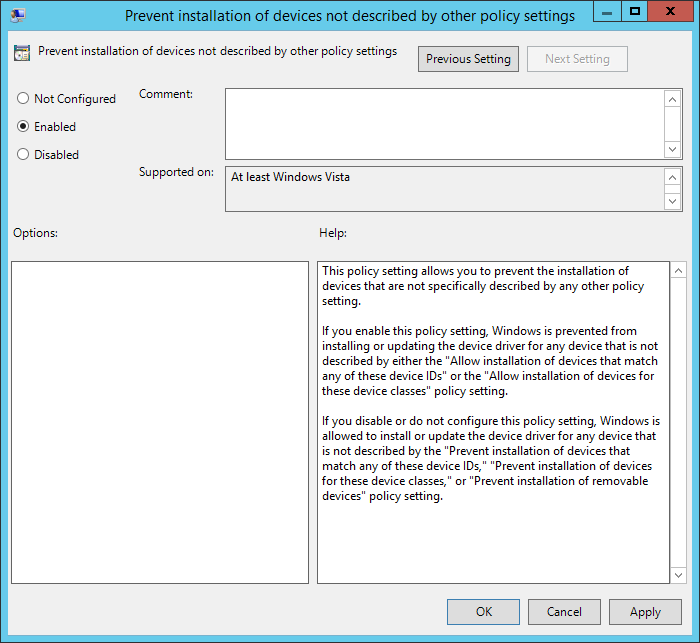
The configuration is complete. You can use different schemes to restrict specific devices or category of devices. Microsoft lets us restrict specific drivers or device IDs, you can also restrict only removable devices.
Read related articles
Configuring and using Windows Deployment Services (WDS)
A 2026 guide to WDS: installation, PXE boot, boot/install images, and the limitations introduced with Windows 11 and Server 2025.
How to install and configure Windows Server Update Services (WSUS)
How to install and configure WSUS in 2026: client groups, approval rules, database maintenance, and the critical CVE to patch.
Sysprep in 2026: practical guide for sysadmins and MSPs
What Sysprep is, when to use it, and how to properly generalize a Windows image before distribution or cloning.