

 Italiano
 Español
The privileges and Roles allow the administrator of a VMware virtual environment to configure a granular security policy defining individual user rights.
For a VMware system administrator it’s good practice to define the user access rights from the vCenter servers. There are several technologies to secure a virtual environment, this time we are going to see how to assign a customized role to an individual user.
In our previous article we talked about how to create a customized Role to which we gave only the privileges to configure the Virtual Machines.
It’s considered a best pratice not to modify the default roles because they can be useful for future reference.
In this article we’ll explan how to create a new user which we’ll assign to a customized Role named VM Configuration Manager.
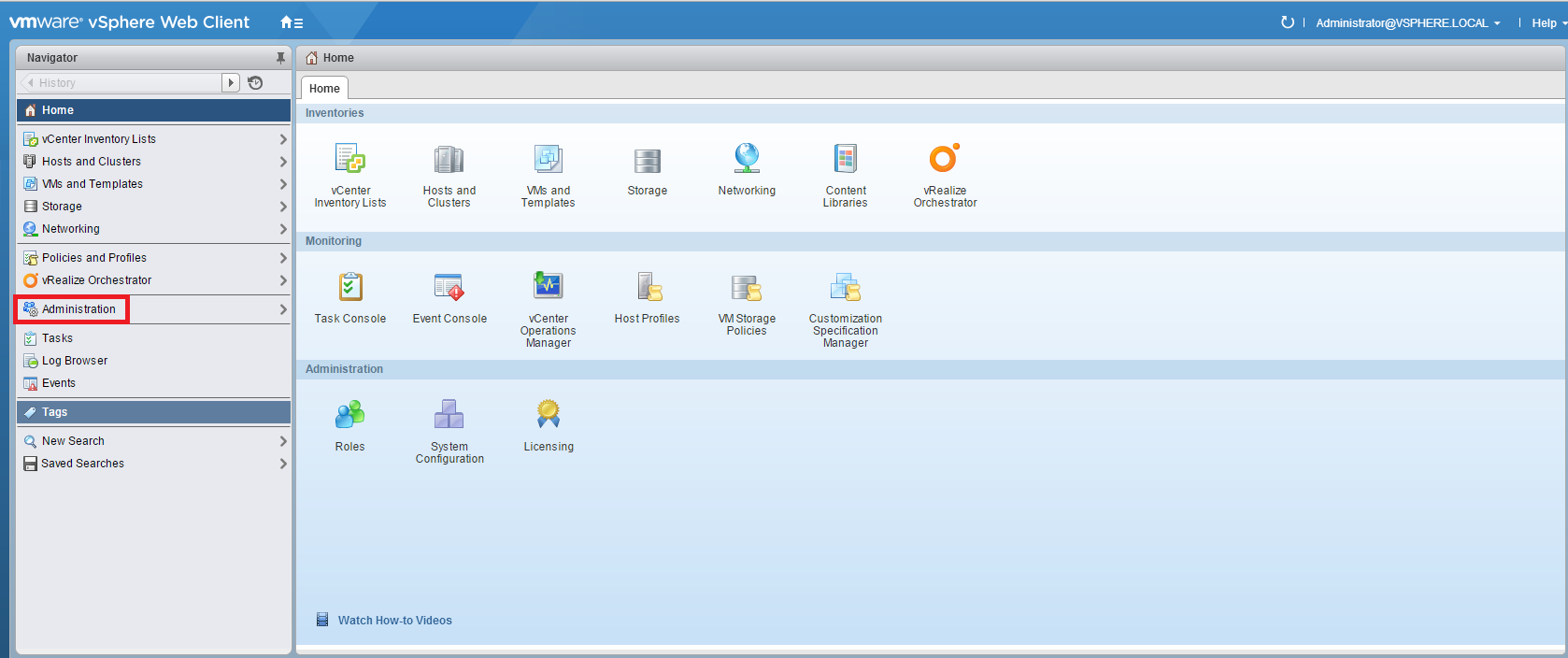
Log in your vCenter Web Client and click Administration:
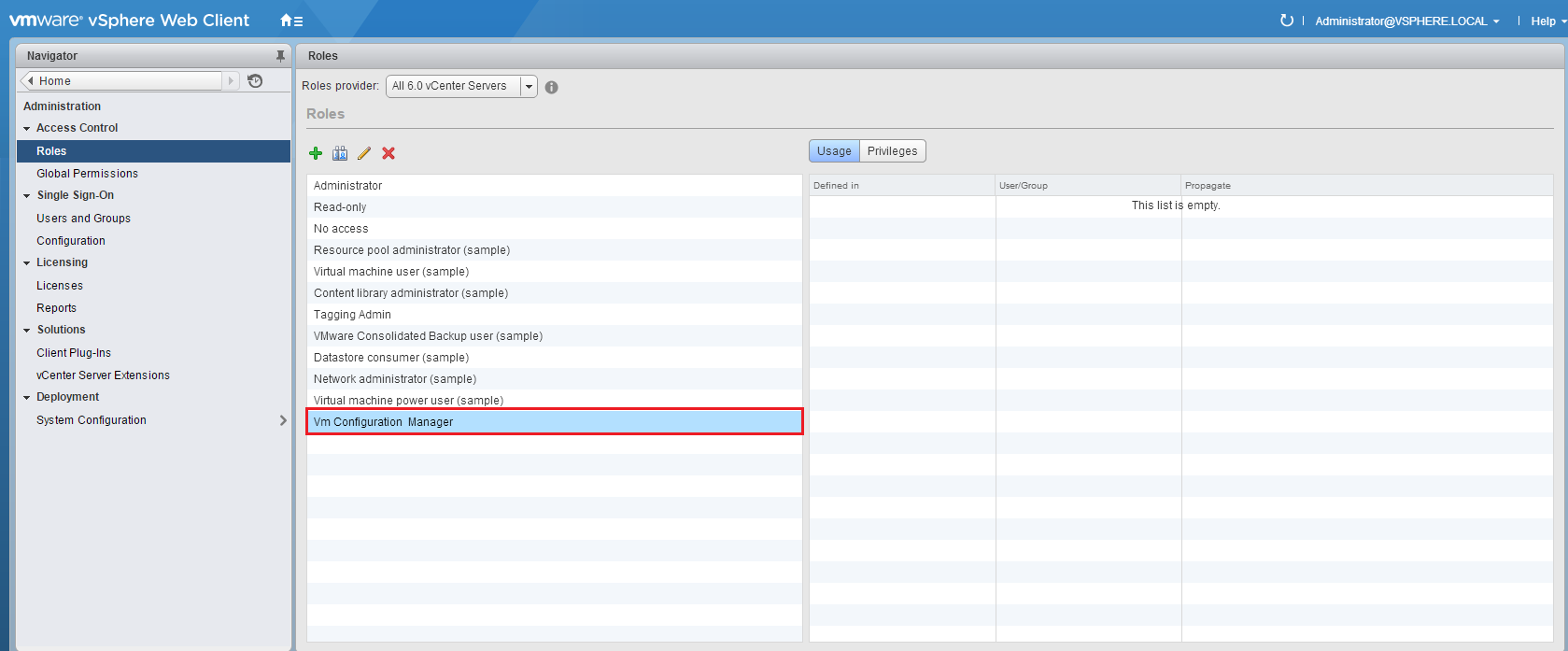
We have already created the customized Role named VM Configuration Manager:
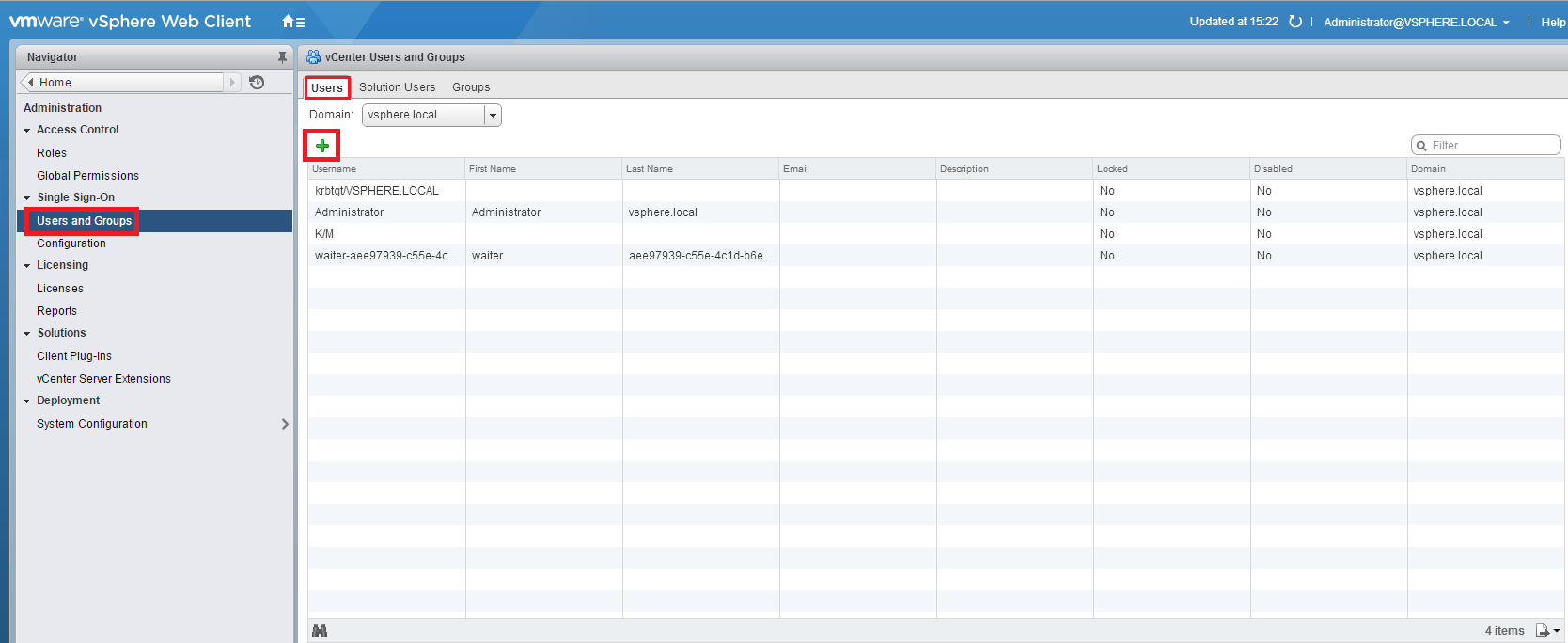
Select Users and Groups, then open the Users tab and press +:
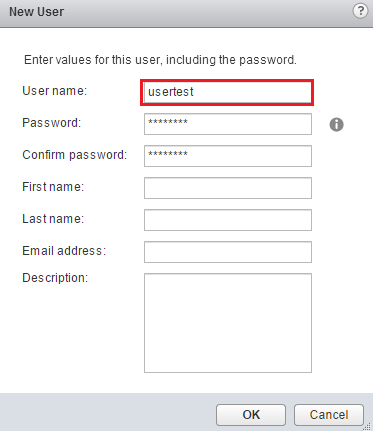
As you can see, a window will open allowing to define the name of new user. Name the new user (in our example we used: usertest) and set the password:
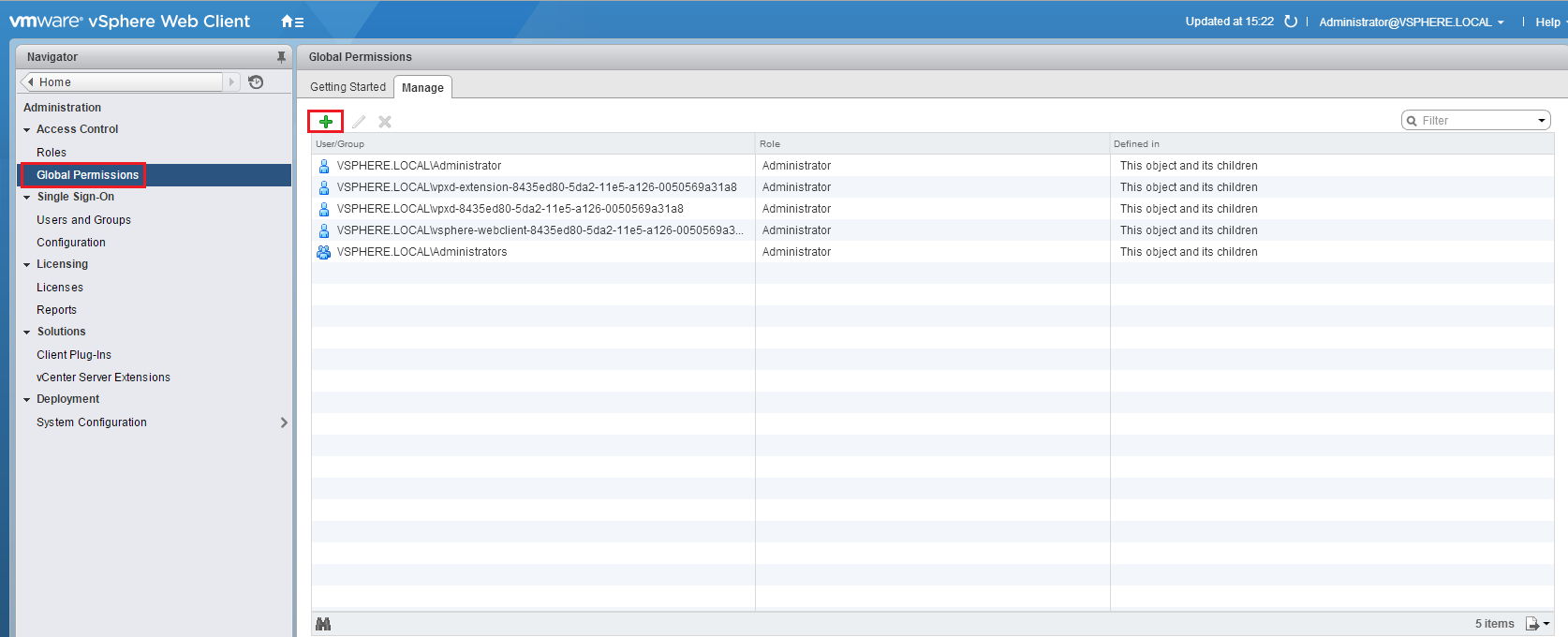
Select Global Permissions, than open the Manage tab and press +:
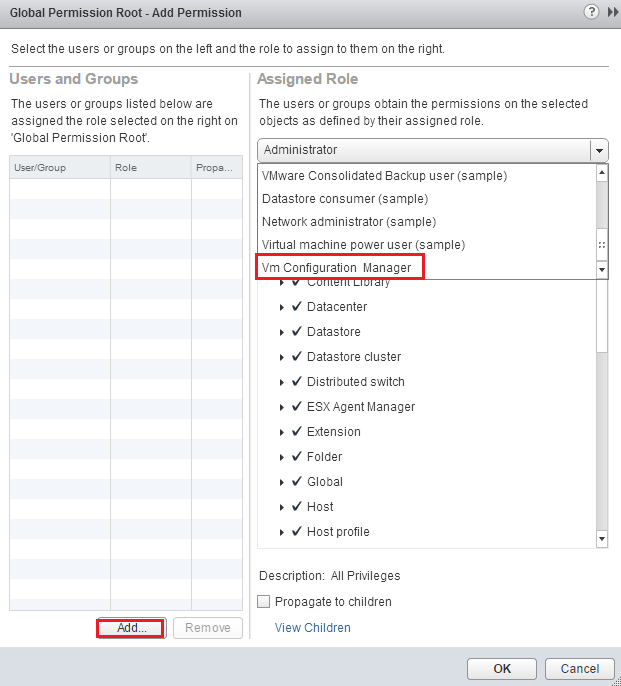
Select the VM Configuration Manager role from the dropdown menu and press Add:
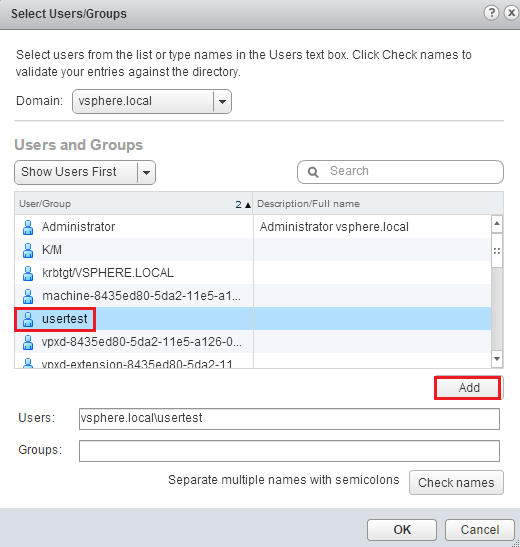
Add usertest to the VM configuration Manager role:
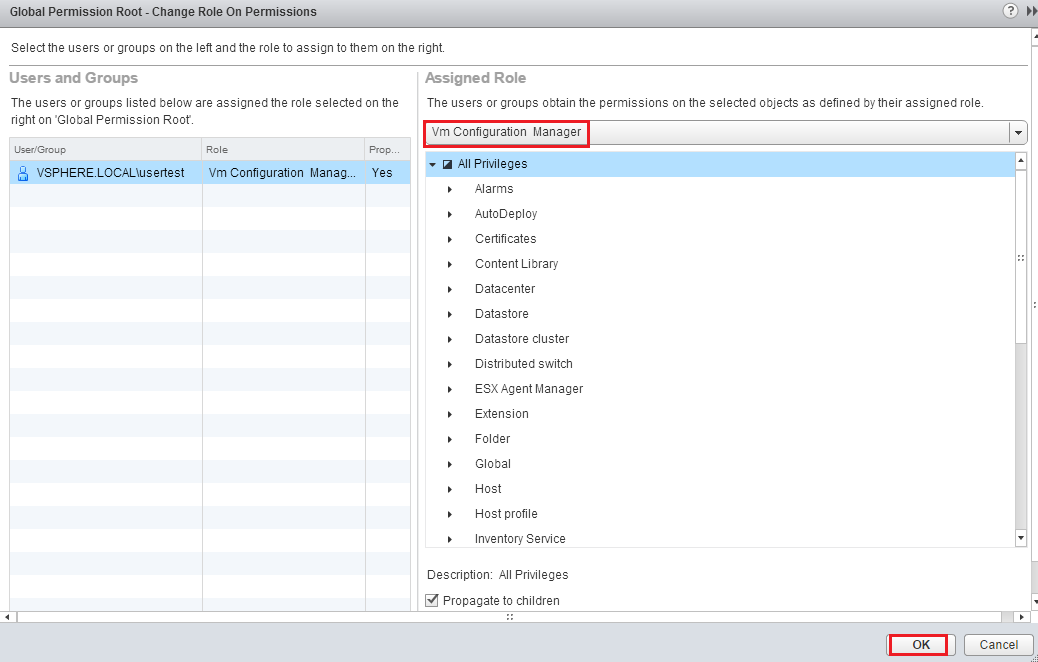
Press OK to confirm:
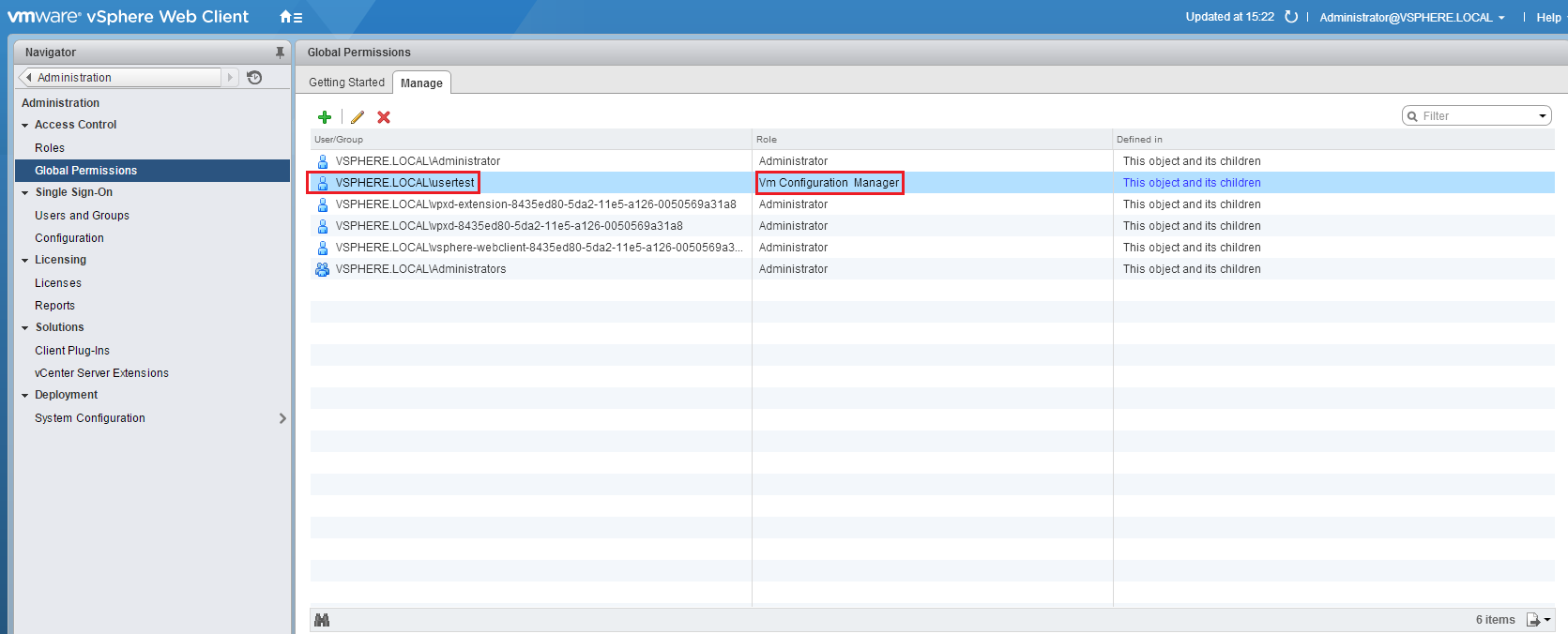
Review the Global Permissions list, verify the presence of the new user:
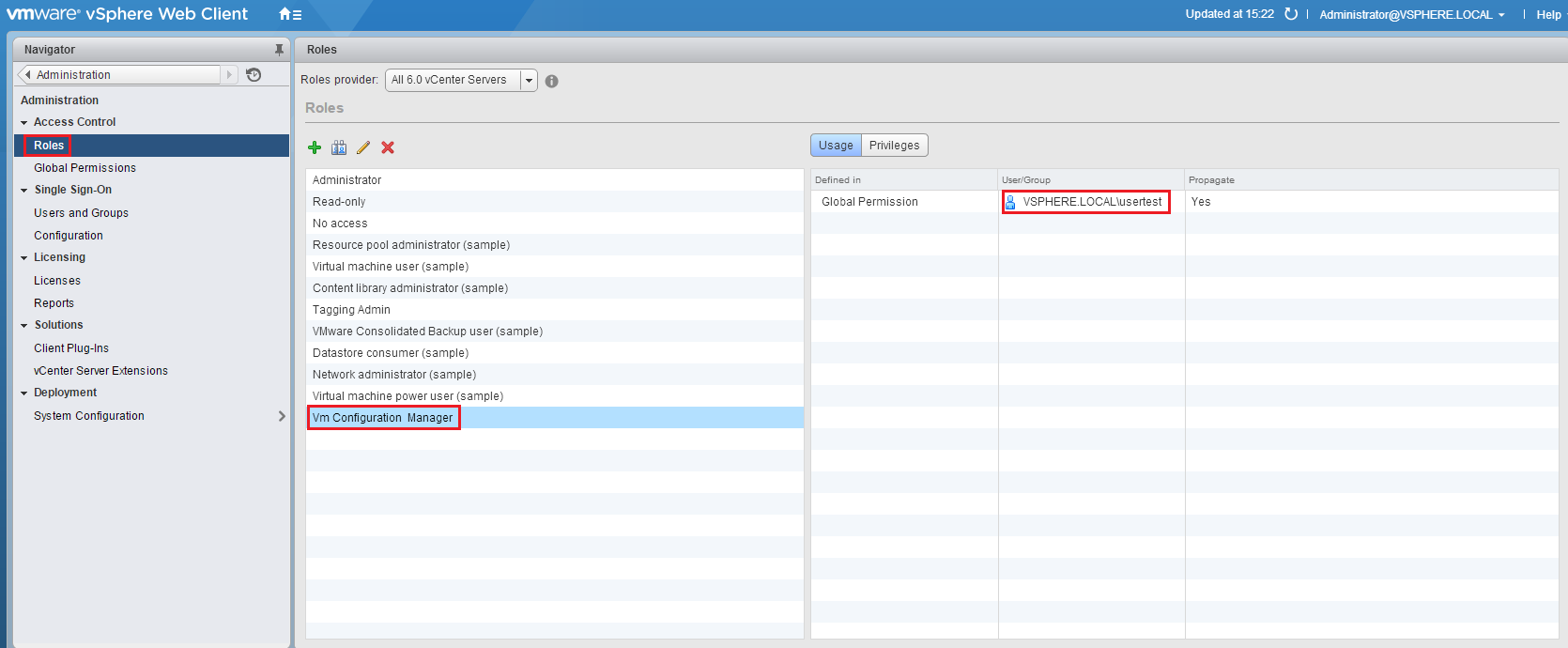
It’s also possible to verify the presence for the new user from the Roles tab:
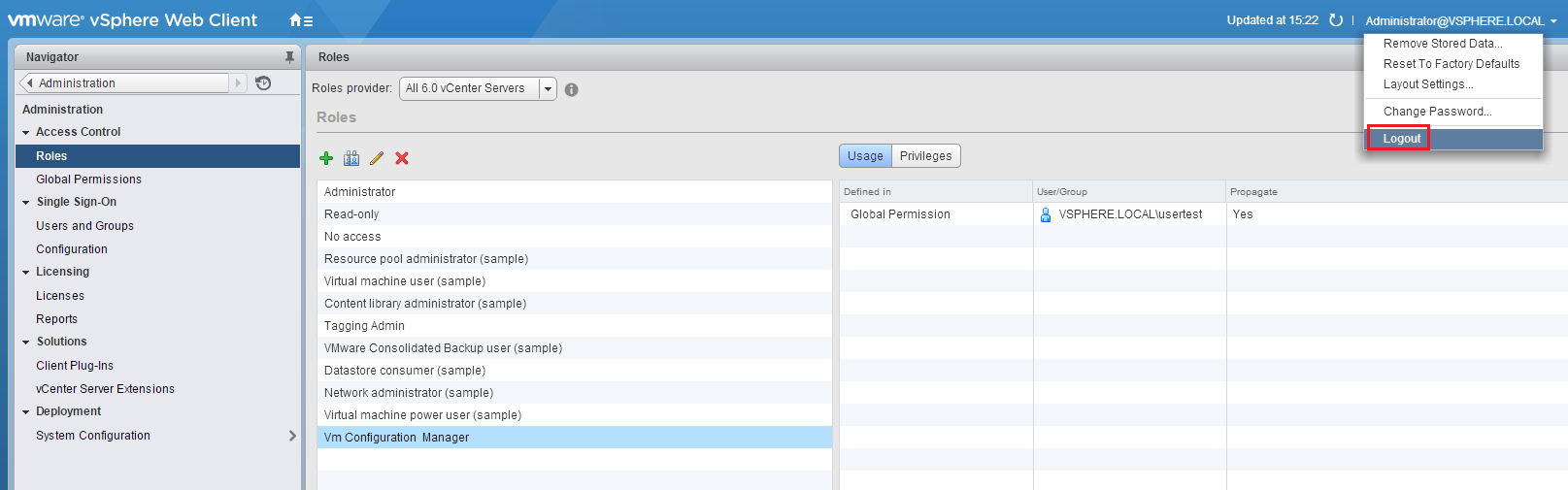
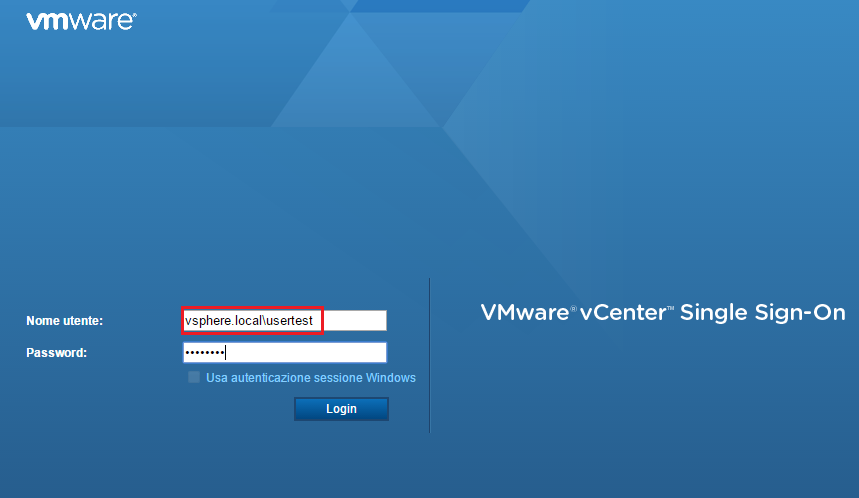
Log out and perform the login with usertest:
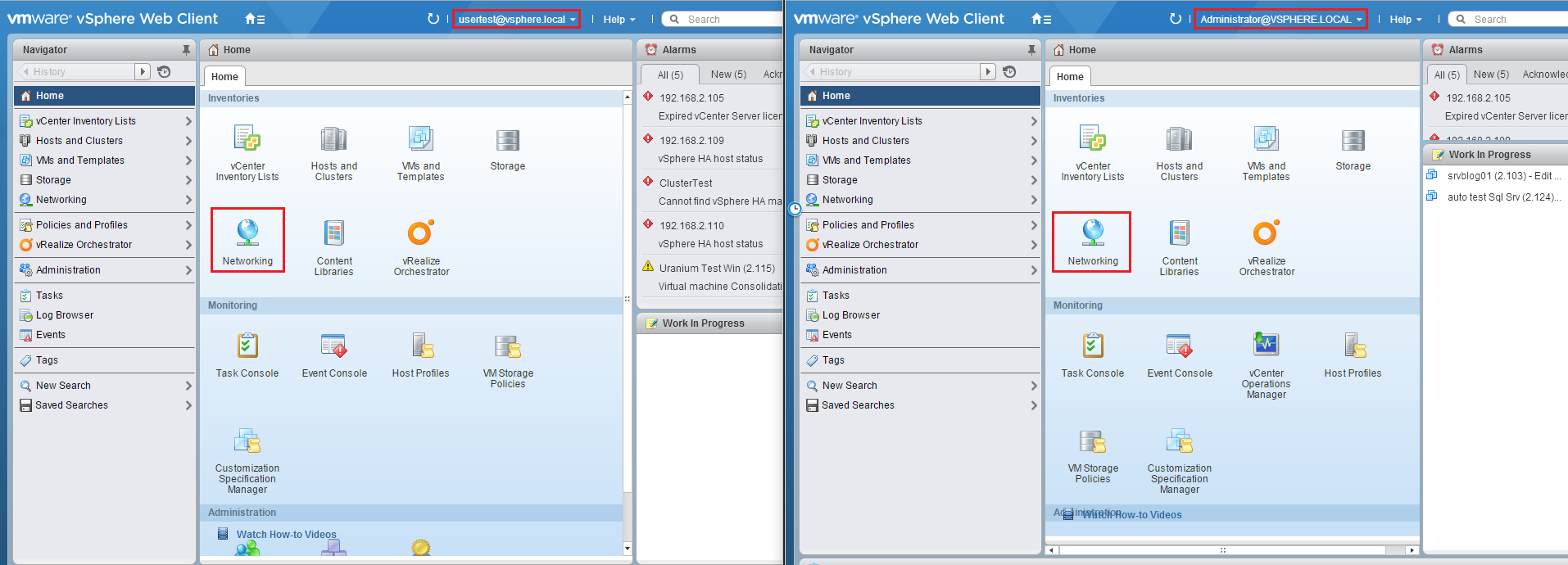
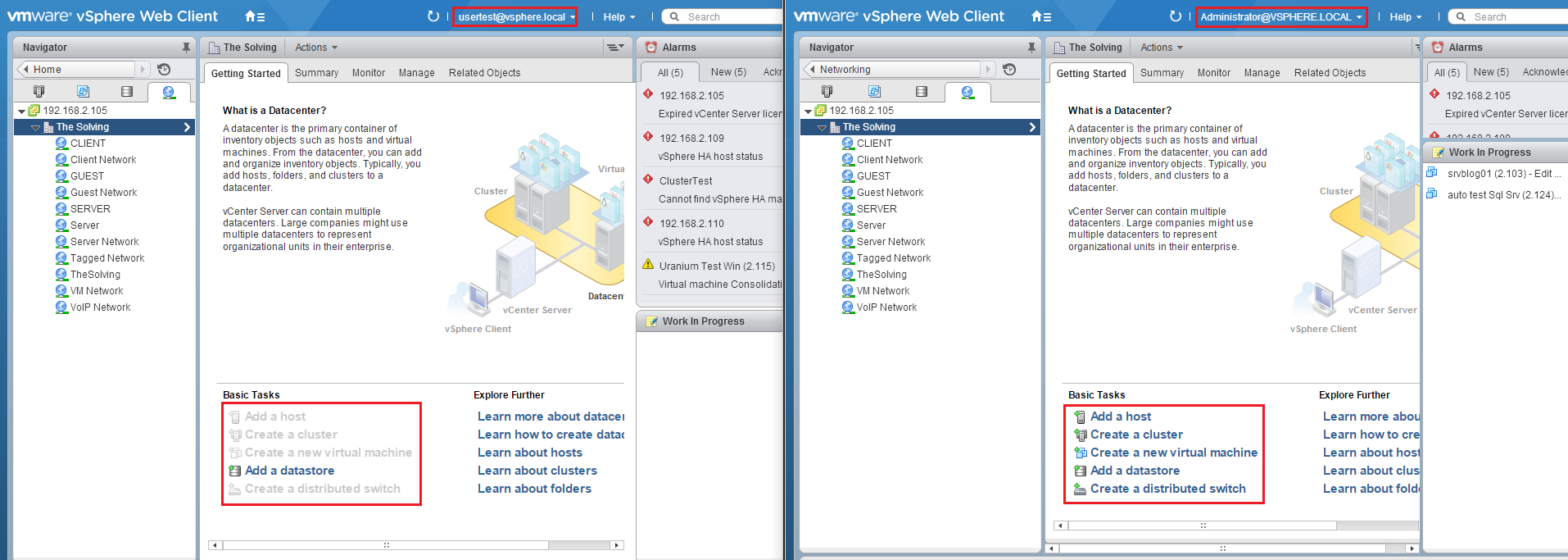
We took a couple of screenshots of the same pages with the Administrator and usertest accounts. As you can see from the comparative, the usertest account lacks many features available for the Administrator:
Read related articles
VMware vSphere Client in 2026: how to access and manage vCenter
There is no VMware vSphere Client to download in 2026. Access vCenter through the built-in HTML5 client at https:///ui, manage standalone ESXi hosts via the Host Client, and automate with VCF PowerCLI. This guide covers the free ESXi Hypervisor, VCF 9, support timelines, and migration paths for MSPs.
Install VMware ESXi on a Hyper-V
It is possible to use nested virtualization to run VMware ESXi as a Virtual Machine in Hyper-V. To some, this
How to install and configure VMware PowerCLI version 10
VMware PowerCLI is a collection of Windows Powershell modules which are used to manage and maintain a VMware virtual environment.